This new version of Minarca introduces significant changes, both in terms of the user experience and in monitoring and management features. Here is an overview of the main new features.
A completely redesigned interface
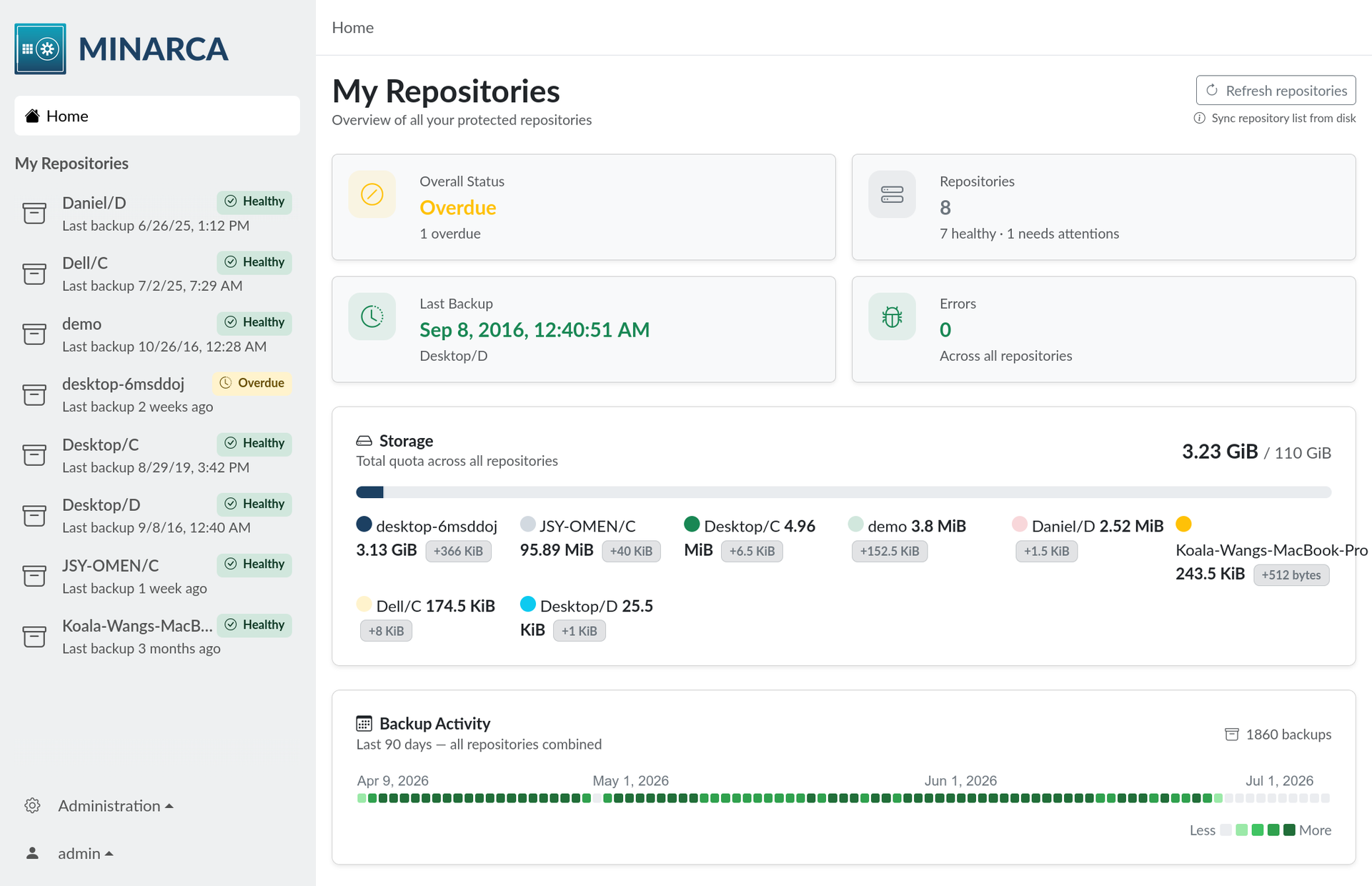
You literally have to open Minarca to see it for yourself: every page has been revised and improved. This redesign affects the entire application—it’s too extensive to list everything—but here are a few examples:
- Much smoother navigation, with a breadcrumb trail and a redesigned sidebar
- A modern design based on Bootstrap v5
- Revised pages: Home, Log In, Profile, Settings, Security, Administration
- Improved readability (contrast, icons, layout)
The goal: a more intuitive and enjoyable experience, from the very first glance through to everyday use.
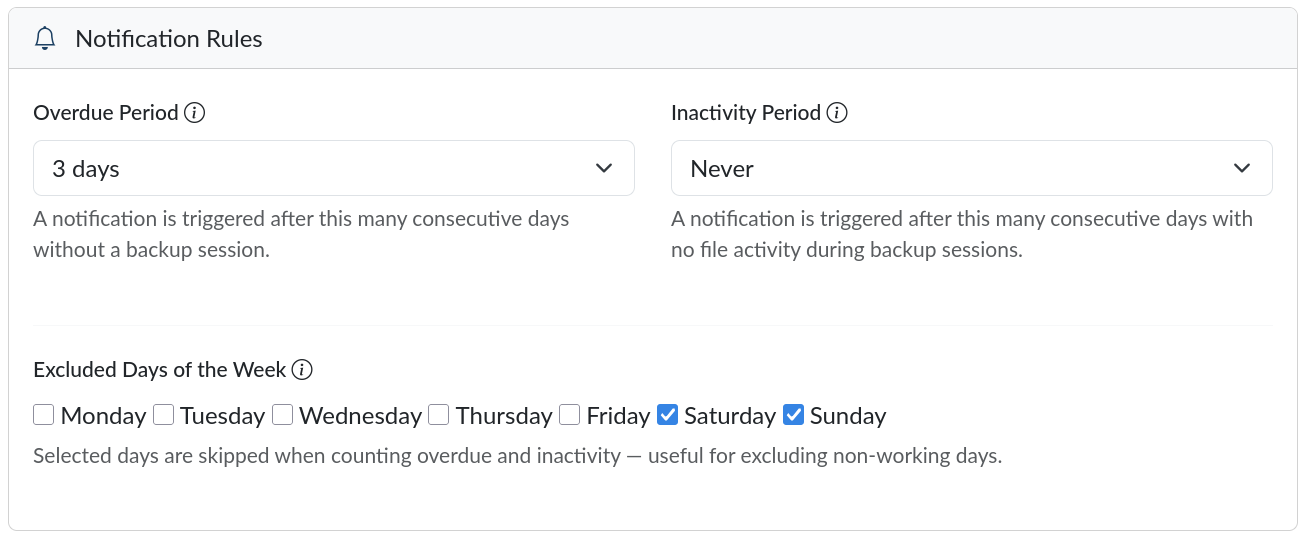
Detecting Overdue or Inactive Backups
Minarca can now automatically identify repositories with overdue or inactive backups, based on two configurable time periods. No more unpleasant surprises: you can quickly see which repositories need your attention and why.
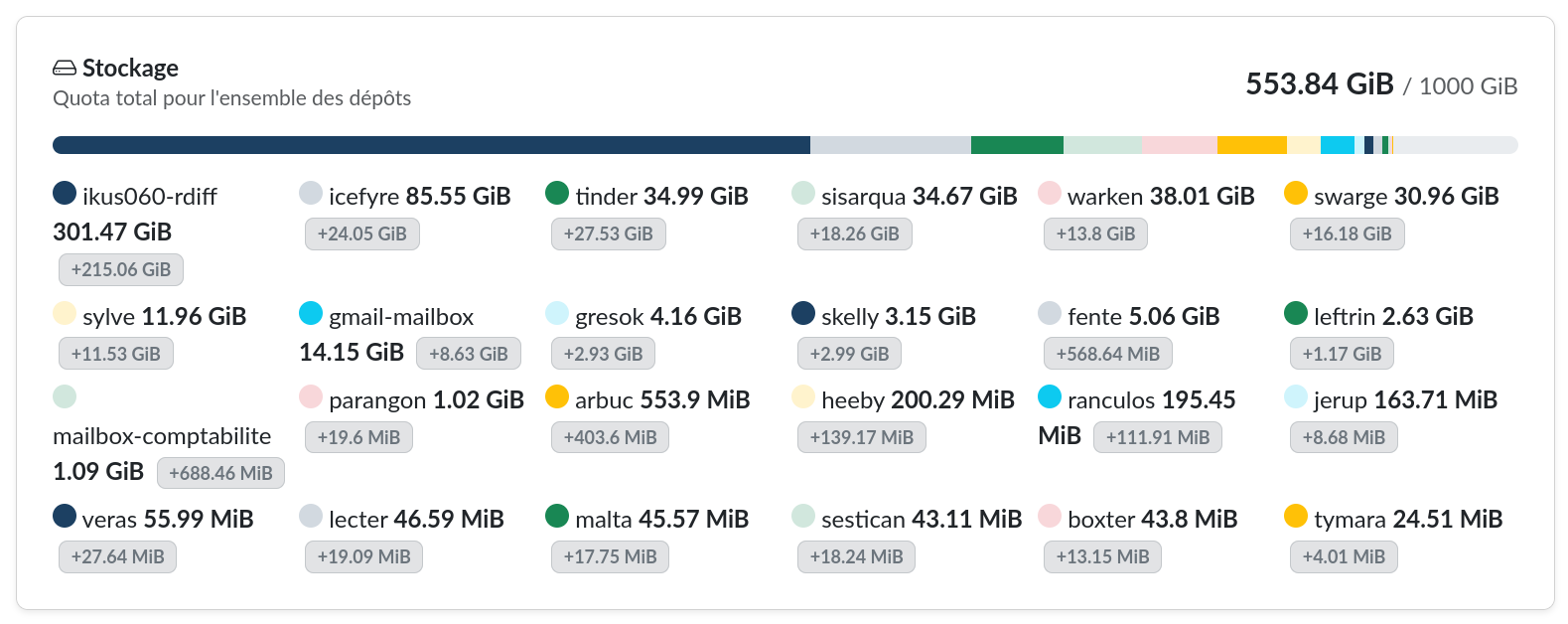
A clear overview of disk space usage
A highly anticipated new feature: a detailed view of storage usage, with a clear distinction between:
- the size of the source data (your current files)
- the size of the history (the accumulation of changes over time via rdiff-backup)
This breakdown helps you better understand—and easily explain—why the amount of disk space used may seem higher than expected.
Centralized Management of SSH Keys and Access Tokens
Administrators can now manage other users' SSH keys and access tokens directly from the administration interface. This saves a considerable amount of time when it comes to support and managing multiple accounts.
In summary
This version combines a major visual overhaul with tangible improvements in monitoring and management: proactive detection of backup issues, a better understanding of storage usage, and greater control for administrators.
🚀 Want to try out these new features?
This new version of Minarca is available now!
Download and install
Whether you're using Debian, Ubuntu, or another Linux system, you can find the packages and installation instructions on our download page.
Take the online test
Not ready to install yet? Check out an online demo to explore the new interface with no obligation.
Help with the translation
Minarca is available in several languages thanks to the community. Do you speak a language we don't yet support, or would you like to improve an existing translation? We'd love your help!
Contribute to the code
Minarca is an open-source project. Whether you want to report a bug, suggest a feature, or contribute code, join us on GitHub.
Any questions or comments?
Please feel free to contact us or join the community to share your feedback on this new version.