Minarca Community
and Support

Welcome to Minarca's community and support page. Find out how you can get involved, get help and interact with other Minarca users to maximize your experience with our data backup solution.

Discourse Forum
Join our community forum on Discourse to discuss, ask questions, and share tips with other Minarca and Rdiffweb users. Our forum is a valuable resource where you can interact with experts, get answers to your questions, and discover new ways to use Minarca to meet your specific needs.
- Share your experiences: ask questions and discuss best practices with the Minarca community.
- Community support: Benefit from the support and advice of community members to solve your problems and overcome obstacles.
- Suggestions and feedback: Share your ideas and suggestions for improving Minarca and contributing to its ongoing development.
📌 Our old Groupe Google has now been archived.

Documentation and Guides
Consult our comprehensive documentation and detailed guides for information on installing, configuring and using Minarca. Whether you're a novice or an expert, our resources will help you get the most out of our data backup solution.
- Full documentation: Explore our documentation to discover all Minarca's features and configuration options.
- Step-by-step guides: Follow our detailed guides to set up your backups and restores efficiently.
- FAQ: Check out our FAQ section for quick answers to frequently asked questions about Minarca.
How to contribute?
Minarca is an open-source project, and we welcome contributions from our community. Here are just a few of the ways you can contribute to the improvement and ongoing development of Minarca:
-
- Source code: If you're a developer, you can contribute source code by submitting pull requests to our GitHub repository. Whether you want to add new features, fix bugs or improve performance, we welcome your contributions.
-
- Testing and Bug Reports: Help us identify and resolve bugs by testing Minarca in different environments and reporting any problems you encounter. Detailed bug reports help us to improve the quality of our software for all users.
-
- Documentation: Help us improve our documentation by suggesting corrections, additions or clarifications. Clear and accurate documentation is essential to help users get the most out of Minarca.
-
- Community Support: Share your expertise and help other users by answering questions on our Google group or in our community forum. Your contribution can make all the difference to someone experiencing difficulties with Minarca.
-
- Translations: Help us make Minarca accessible to a wider audience by contributing to the translation of our software into different languages. Translations enable more people to benefit from Minarca's features in their native language.
Whatever your skills or level of experience, there's always a way to contribute to Minarca. We greatly appreciate all contributions from the community and encourage you to participate in our open-source project.
Community contributions
Documentation, videos, blog posts, and much more, created by Minarca users around the world. Have something to share? We'd love to publish it here.
Proxmox VE Helper-Scripts for Minarca
by Community Scripts
An community helper script for deploying a Minarca backup server as an LXC container on Proxmox VE, added June 2025. The script spins up a ready-to-run Minarca instance on Debian 13 with sensible defaults (2 vCPU, 4GB RAM, 10GB storage) using a single one-liner run directly from the Proxmox shell. The web interface is accessible on port 8080, and the server config lives at /etc/minarca/minarca-server.conf. A perfect starting point for anyone who wants to get Minarca running on Proxmox quickly, without manual setup steps.
The Ultimate Guide to Open Source Backups: Kopia vs. Minarca
by Dimitri Bellini — Quadrata
Prompted by a real data scare, Dimitri sets out to find the best open source backup solution and lands on two standout contenders: Kopia and Minarca. The article lays out a clear requirements checklist — covering deduplication, encryption, cross-platform support, CLI/GUI flexibility, and ease of use — before diving deep into both tools. Kopia is examined as the power user's choice, with advanced snapshot-based backups, end-to-end encryption, and broad storage backend support. Minarca is presented as the simplicity-first alternative, praised for its beautiful client-server architecture, centralized web dashboard, and effortless multi-device management. Both tools get practical walkthroughs covering setup, backup creation, and restore workflows, before a clear side-by-side verdict helps readers choose the right fit for their needs.
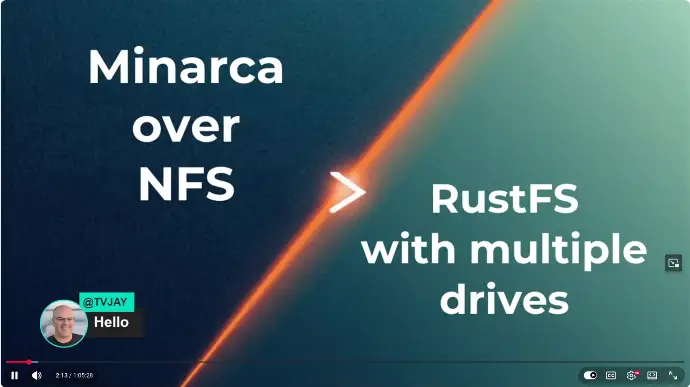
Minarca on NFS and RustFS with multiple disks
by TVJAY
In this live stream, I will explain how to run Minarca on NFS under TrueNAS, and I will also show you RustFS running on multiple disks.
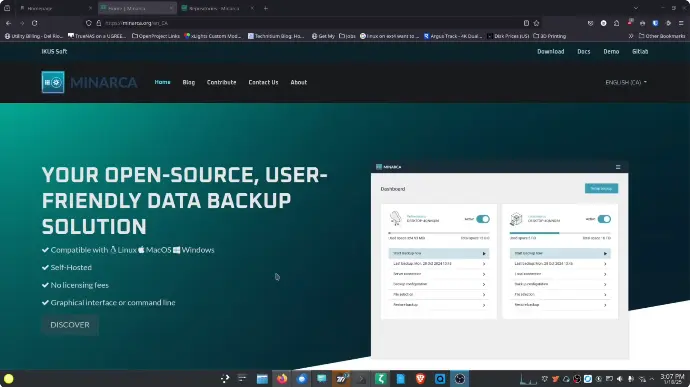
Installer Minarca Backup
by Brian McGonagill
Complete step-by-step guide to setting up Minarca Server in an Incus/LXC container on Ubuntu 22.04. This tutorial covers the entire installation process, including adding the Minarca repository, accessing the web user interface, and configuring a custom storage location. It also explains how to connect the Minarca client (via the GUI and command line interface), configure scheduled backups, and understand folder access permissions. An excellent starting point for anyone who wants to host their own backup server.
Testing Minarca v5: A Self‑Hosted Open Source Backup You Can Actually Run
by Tom's Tales
A clear and practical presentation of the new features in Minarca v5, intended for anyone interested in self-hosted backups without complexity. Tom reviews the main new features, including full restore, the improved rdiff-backup v2.2 engine, sleep prevention, 24-hour backup pause, improved error messages, and a more informative web interface. The article also includes a beginner-friendly guide on how to participate in v5 testing, covering installation, multi-platform scenarios, backup and restore workflows, and how to provide feedback to the development team. It's an interesting read for home lab users and small teams evaluating Minarca for the first time.
Minarca: simple and effective data backup
by Inovatechy
A comprehensive analysis in Portuguese of Minarca for businesses evaluating backup solutions. The article introduces Minarca, its key benefits for small and medium-sized businesses, and a detailed description of its features, including incremental backups, data encryption, flexible scheduling, granular restore, and multi-platform support. It also explores integrations with cloud storage providers (AWS S3, Google Cloud, Azure) and monitoring tools, before concluding with an honest analysis of Minarca's advantages and disadvantages compared to competitors such as Veeam, Acronis, Carbonite, and Backblaze. A solid introduction for Portuguese-speaking audiences exploring self-hosted backup options.
Installation of the Minarca Backup client and server
by Jeremy Leik
A practical video presentation of Minarca, the open source, self-hosted backup solution based on rdiff-backup. Jeremy covers the entire installation process from start to finish: installing the Minarca server on Linux, exploring the web GUI, adding users, and installing the Windows client. He then explains how to perform an initial backup from Windows, review the server results, and navigate the Minarca website. The video ends with some honest final thoughts. An excellent starting point for anyone who wants to see Minarca in action before committing to an installation.
Watch on Youtube...